✓ 168-hour free trial — No credit card required. Full unrestricted access to every feature.
AI Crypto Sniper V5
Solana Trading · Windows Desktop

AI Crypto Sniper
V5.0.0

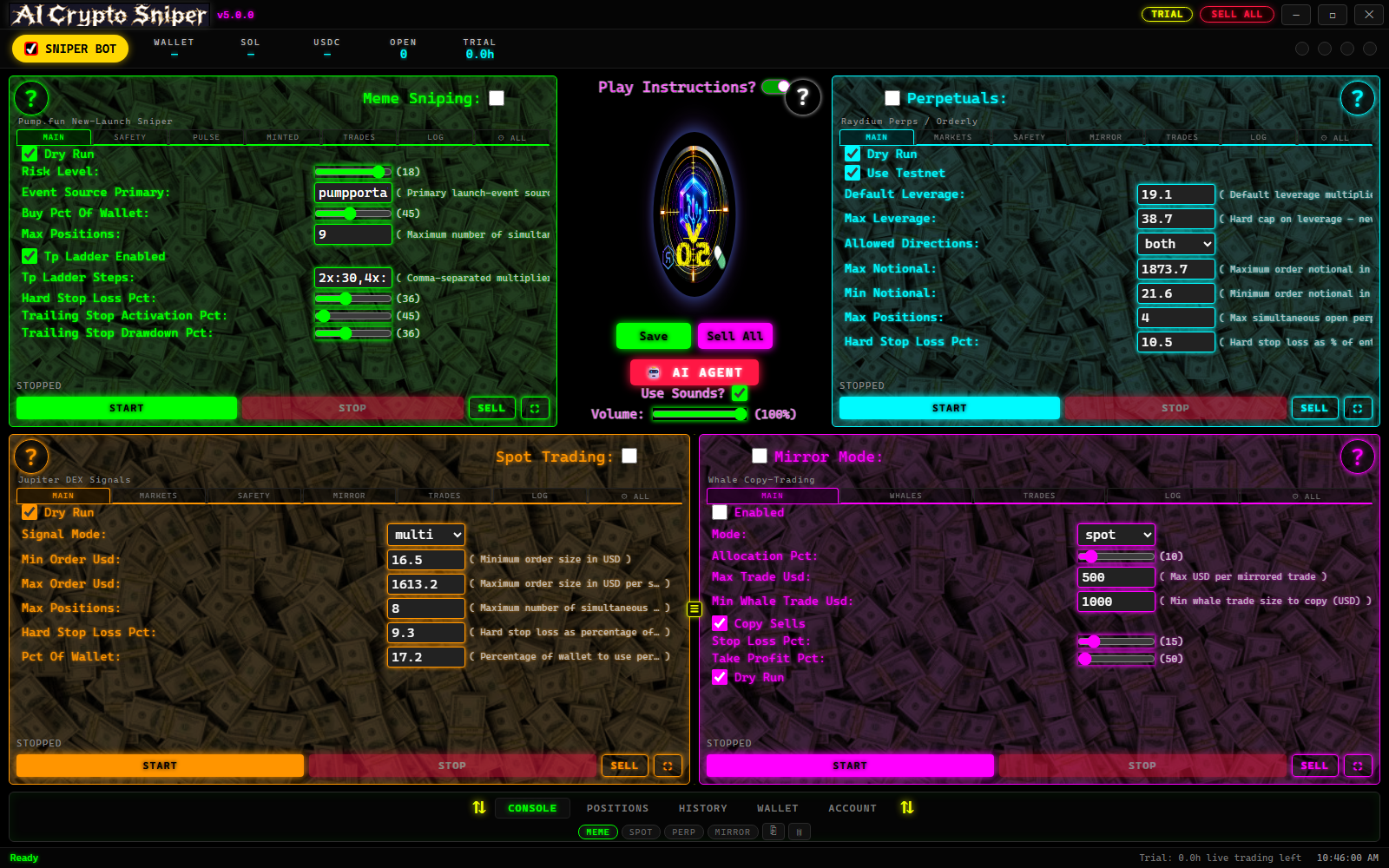
Four trading modes. One Windows app. 331 MCP tools for AI-assisted control via Claude, Cursor, and Devin.

Meme Sniping Spot Trading Perpetual Futures Mirror Copy-Trading
CLICK HERE TO Download for Windows Fully Functional (168-hour) Trial
NO Credit Card Needed

No credit card needed. Then subscribe at $49.99/mo with code SOLV4FIRST50

Learn about the free MCP Server →
4
Trading Modes
331
MCP Tools
7 Days
Free Trial — No CC
$49
First Month

Simple, Transparent Pricing

168 hours of live bot usage free. No credit card required. Cancel anytime.

Free Trial
$0
168 hours of live bot usage
Full version, no restrictions
No credit card required
Monthly
$99.99
per month thereafter
Cancel anytime

Download the app for 168 hours of live bot usage — no credit card required, full version. When your trial expires, live trading is disabled. Subscribe with promo code SOLV4FIRST50 for 50% off your first month.

Four Trading Modes

Each mode is a complete, independently-configurable trading engine with its own bot loop, configuration file, risk-level presets, position tracking, P&L tally, and MCP tool set. Run one mode at a time or switch between them from the GUI or through natural language.

🎯 Meme / New-Token Sniping

Hunt new Pump.fun launches the moment they go live.

  • Real-time Pump.fun launch detection
  • Safety, liquidity & market-cap filters
  • Volume, holder, age & creator-holding filters
  • Take-profit ladders & trailing stops
  • Rug detection & volume-death detection
  • Momentum-reversal detection
  • Position timeouts
  • Pump.fun bonding curves or Jupiter
  • Graduation tracking & automatic Jupiter migration
  • 20 risk-level presets (Minimal → Maximum)
  • Whitelist / blacklist management
  • Auto-savings sweep from profits

📊 Spot Trading

Trade established Solana tokens through the Jupiter v6 DEX aggregator with full technical-analysis-driven automation.

  • Jupiter v6 aggregator — best-route swaps across all Solana DEXs
  • Market & limit orders with configurable offset and priority fees
  • Dollar-cost averaging (DCA) — split entries across 2–20 steps with acceleration on price drops
  • Portfolio rebalancing — automatic alerts when allocation drifts beyond threshold
  • 5 signal modes: trend, mean reversion, breakout, volume spike, or multi (all combined)
  • Technical indicators: RSI, MACD, SMA/EMA crossovers, Bollinger Bands, ATR, volume analysis
  • 20 risk-level presets from Minimal to Maximum — adjusts sizing, stops, and filter strictness
  • Take-profit ladder with up to 10 staged exits (e.g. 2%:30, 5%:30, 10%:20, 20%:10)
  • Cascading stop loss — scale out in tranches as price approaches the stop
  • Trailing stop with percentage or absolute-USD distance
  • Momentum-reversal exit with configurable rolling window
  • Position timeout auto-close (0 = disabled, up to 7 days)
  • Allowed/blocked token lists with per-token mint control
  • Quote token selection: USDC, SOL, or USDT
  • Market filters: min volume, market cap, liquidity, holder count, spread, 24h/5m price change
  • Max portfolio concentration per single token (e.g. 40%)
  • Max total exposure cap in USD
  • Auto-savings sweep from trading wallet to savings wallet
  • Persistent P&L tally with win rate, best/worst trades, fees
  • Practice (dry-run) mode with simulated USDC balance

⚡ Perpetual Futures

Long and short Solana perpetuals through the Orderly Network (Raydium Perps routing) with full leverage, margin, funding, and liquidation management.

  • Long & short positions — trade both directions of the market
  • Configurable leverage from 1x to 100x, with a hard cap that is never exceeded
  • Margin modes: isolated (per-position) or cross (shared across positions)
  • Position sizing: % of wallet USDC used as margin, multiplied by leverage
  • 5 signal modes: momentum, mean reversion, breakout, funding arbitrage, or multi
  • Order types: MARKET, LIMIT, POST_ONLY, IOC, FOK
  • Reduce-only exits to prevent accidental position increase
  • Post-only entries for maker-only fills (no taker fees)
  • Funding-rate management — auto-exit when funding becomes too adverse, funding-arb signal mode
  • Liquidation avoidance:
    • Liquidation-distance floor (auto-close if breached)
    • Auto-deleverage — reduce position by configurable % when distance drops
    • Auto-adjust leverage down as liquidation distance narrows
    • Wallet reserve kept for fees, funding, and liquidation buffer
  • Take-profit ladder with staged LIMIT exits (e.g. 1.5%:40, 3%:30, 5%:20, 10%:10)
  • Cascading stop loss — scale out in tranches as price approaches stop
  • Trailing stop with percentage or absolute-USD distance, armed after activation gain
  • Momentum-reversal exit with configurable rolling window
  • Position timeout auto-close (0 = disabled, up to 7 days)
  • 20 risk-level presets from Minimal to Maximum — adjusts leverage, sizing, stops, filter strictness
  • Market filters: min 24h volume, min open interest, max spread, min leverage available, 24h/5m change bounds
  • Allowed/blocked base tokens (e.g. SOL, BTC, ETH only)
  • Max total exposure cap across all perp positions in USD
  • Max simultaneous positions (1–20)
  • Testnet support — practice on Orderly testnet with simulated balances
  • Real-time market data: candles, orderbook, price changes, funding rates, liquidations
  • Risk analytics: liquidation price, margin ratio, funding cost, VaR estimate, correlation matrix
  • Performance analysis with per-trade P&L, fee summary, and funding-paid tracking
  • Persistent P&L tally with wins, losses, best/worst trades

🪞 Mirror Mode

Copy-trade known Solana whale wallets automatically. The bot monitors their on-chain activity and mirrors trades proportionally to your own wallet size.

  • Whale-wallet copy trading — monitor up to 20+ whale wallets via Helius/Shyft transaction parsing
  • Proportional trade sizing — copies are scaled to your wallet, not the whale's
  • Allocation percentage — control what % of your wallet is dedicated to mirror trading (default 10%)
  • Min/max trade limits — skip tiny copies and cap large ones (default $10–$500 per mirrored trade)
  • Min whale trade size — only copy whale trades above a threshold (default $1,000)
  • Copy sells — optionally mirror the whale's exit trades, not just entries
  • Per-whale enable/disable — toggle individual whales on or off
  • Per-whale mode — assign each whale to spot, perp, or both
  • Auto-disable underperformers — whales with win rate below threshold (default 30%) are auto-disabled
  • Per-whale performance tracking — trades copied, wins, losses, total P&L in USD
  • Token safety checks — only copy trades for tokens that pass safety filters
  • Liquidity requirement — minimum DEX liquidity for copied tokens (default $10,000)
  • Slippage control — max slippage in basis points for mirror swaps (default 300 bps = 3%)
  • Stop loss, take profit, and trailing stop applied to every mirrored position
  • Max simultaneous mirror positions (default 10)
  • Dry-run mode — simulate mirror trades without executing real swaps
  • Works for both Spot (Jupiter swaps) and Perpetuals (Orderly orders)
  • Default whale list included — well-known Solana smart-money addresses preloaded
  • Add/remove whales via GUI or MCP — natural language or manual entry
  • Persistent whale list, trade log, and performance tracking
  • Configurable poll interval — how often to check whale wallets (default 10s)

Built for AI-Assisted Trading

331
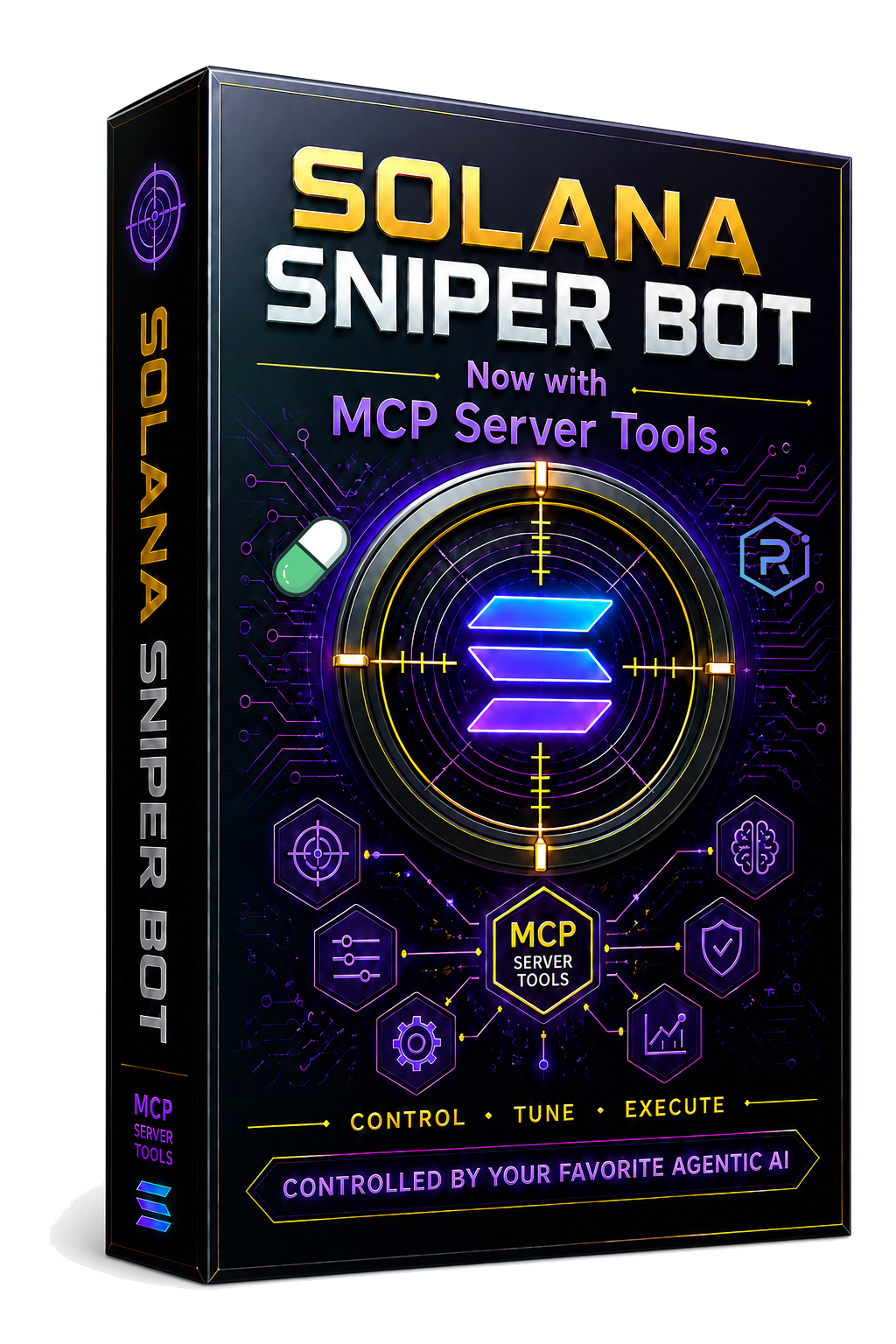
MCP Tools — Works with Claude, Cursor, Devin & any MCP client

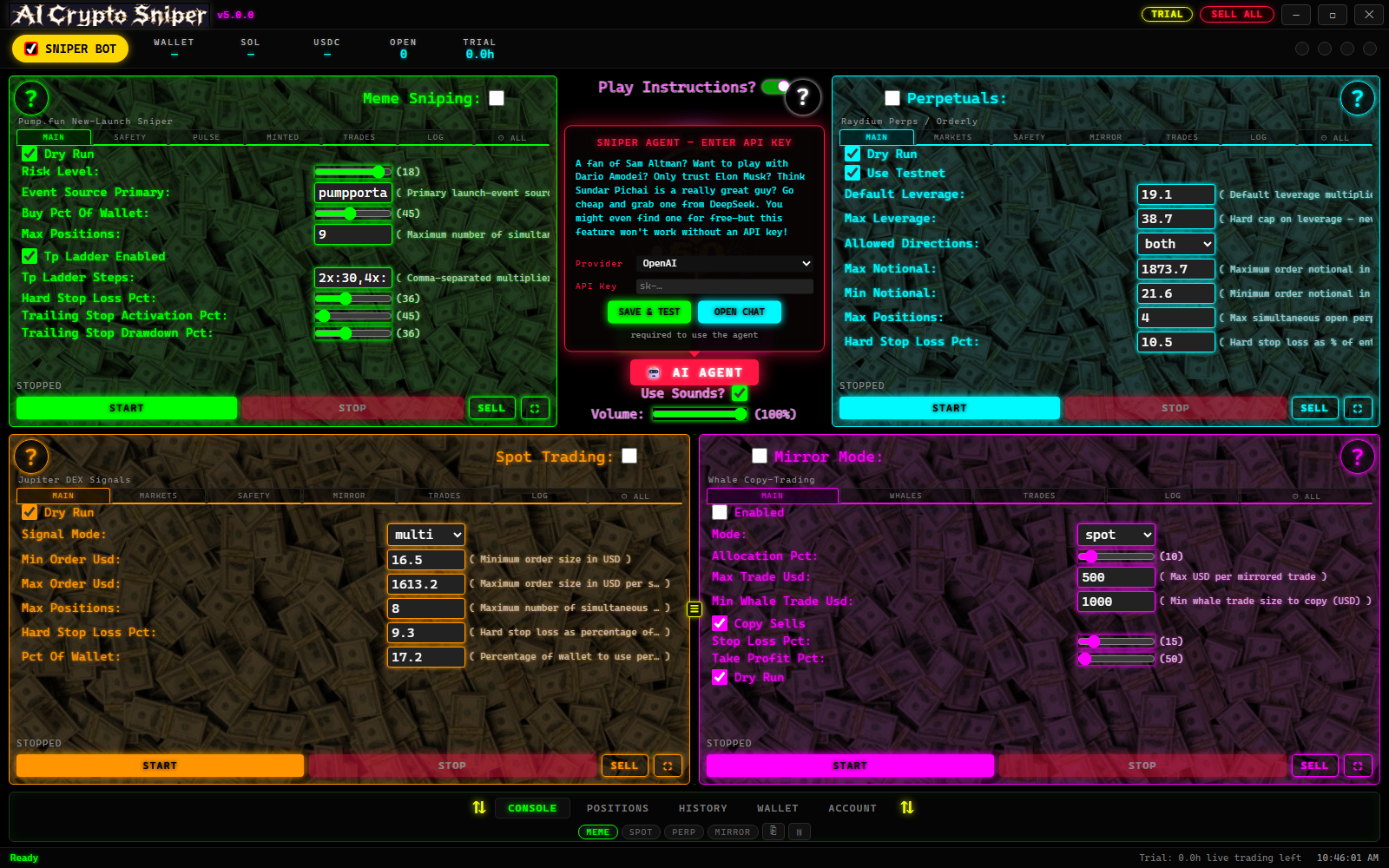
Control every aspect of the bot through natural language. Start and stop bots, execute trades, configure safety filters, query positions and P&L, manage wallets, analyze market data, and fine-tune strategy across all four trading modes.

Bot Control

Start, stop, sell all, buy specific mints

RPC Pool

Manage up to 10 Helius keys with round-robin cycling

Configuration

Get, update, validate, and apply strategy profiles

Positions

Query open positions, graduation status, exit quotes

Trade History & P&L

Analyze performance, clear history, track fees

Wallet

Check balances, transfer SOL between wallets

Pulse Trends

Track trending tokens, price history, buy previews

Spot Trading

Market/limit orders, DCA, rebalancing, risk levels

Perpetual Futures

Long/short, leverage, funding, liquidation, signals

Mirror Mode

Whale management, copy sizing, position tracking

Technical Indicators

RSI, MACD, moving averages, Bollinger Bands, ATR

Market Data

Token prices, market data, SOL price, signals

Learn More About the MCP Server
Practice mode — no real trades
Your keys, your crypto — non-custodial
Windows native desktop app
Configurable risk controls
Cancel anytime
Practice Mode · AI-Tuned

Don't Guess. Test First.

Imagine this: during your free trial week, you set up the MCP server and the application at no cost. You fund your wallet with SOL. Now — with over 300 different settings that fine-tune which coins the bot grabs and when it exits — how do you or your AI know which ones to buy? When to get out? What settings to use?

1
Fund Your Wallet
Deposit real SOL into your bot wallet. Then tell your AI agent to fund your practice PlayMoney wallet with the same amount — so your test mirrors your real capital.
2
Let Your AI Pick the Settings
Ask your AI agent to set the most appropriate settings based on the amount of PlayMoney you're working with, then start the bot in practice mode.
3
Record Everything
The bot runs and records every buy, every sell, and every result — average hold time, how far coins moved beyond entry, average peak price before reversal, and more.
4
Fine-Tune Over Days
Run the test as long as you wish. The longer you test, the more accurate the data becomes for your AI agent to fine-tune the settings.
5
Go Live with Confidence
Once you feel dialed in, tell your AI agent to switch to real funds with the researched settings — giving you the best possible edge to be profitable, hands-off and automatic.

Practice mode does not deduct a single second from your 168-hour trial. The trial clock only ticks while a bot is actively live trading with real funds. Test for days, fine-tune for days — your full trial week is still waiting.

With days of test data behind you and AI-tuned settings in place, going live isn't a gamble — it's a researched decision. And it's all hands off and automatic.
Core Capabilities

🛡️ Safety & Risk Controls

  • Minimum liquidity, market cap, volume filters
  • Minimum holder count & token age filters
  • Maximum creator holdings percentage
  • Blacklist & whitelist management
  • Maximum position count & buy amounts
  • Slippage tolerance control

🔄 Automated Exits

  • Take-profit ladders with configurable steps
  • Trailing stops with activation thresholds
  • Rug detection with automatic exit
  • Volume-death detection
  • Momentum-reversal detection
  • Position timeouts
  • Immediate SELL ALL panic button

🌐 RPC Infrastructure

  • Round-robin pool with up to 10 Helius keys
  • Automatic 429 rotation
  • Date-based slot hibernation
  • Endpoint health monitoring
  • GUI pool manager with masked key input
  • Keys never stored in config or executable

💰 Wallet & Funds

  • Fresh wallet generation per install
  • Trading & savings wallets
  • SOL transfers between wallets
  • MoonPay SOL purchases
  • Automatic savings from profits
  • Persistent P&L & portfolio accounting

What Traders Are Saying

Real feedback from AI Crypto Sniper users

★★★★★

I've been using AI Crypto Sniper for about three weeks now and I'm genuinely impressed. The 300+ configurable settings sounded overwhelming at first, but I just asked my AI assistant to tune them based on my bankroll and it handled everything. The practice mode let me test for days without burning my trial time — by the time I went live, the settings were dialed in and I was profitable within the first hour.

Derek M.
Derek Morrison
Trader since 2021
★★★★★

The MCP integration is a game-changer. I connect it to Claude and just talk to my bot in plain English — "check my positions," "sell everything," "set my take-profit to 40%." It just works. I don't have to touch the GUI at all if I don't want to. The fact that the MCP server is completely free and the app gives you 168 hours of real live trading for free is unreal value.

Sarah K.
Sarah Kim
Runs bots while coding
★★★★★

The auto-exit strategy saved me more times than I can count. Trailing stops, rug detection, volume-death alerts — the bot gets me out before the dump hits. I used to lose money sleeping on bad positions. Now I wake up and the bot already sold at profit and moved on. The perpetuals mode with leverage and funding tracking is also top-tier.

James R.
James Reeves
Futures & spot
★★★★★

What sold me was the mirror trading. I loaded up the default whale list and the bot copies smart-money moves automatically. I don't have to guess which wallets to follow — it's all built in. The RPC pool rotation with multiple Helius keys means I never get rate-limited, even when the bot is running hot during a meme pump.

Marcus T.
Marcus Tran
Whale watcher
★★★★★

I was skeptical about an AI-controlled trading bot, but the practice mode changed my mind. I funded my PlayMoney wallet with the same amount of SOL I planned to trade with, let the AI pick settings, and ran it for four days straight. When I switched to real funds, I already knew exactly what to expect. The 168-hour trial only ticks while you're live trading, so I got a full week of actual bot time on top of my testing.

Aisha L.
Aisha Lindqvist
New to Solana
★★★★★

The non-custodial design was the dealbreaker for me. My keys, my crypto — the bot never touches my funds directly. Combined with the safety filters (minimum liquidity, holder count, creator holdings caps), I feel way more in control than I did on any web-based sniper. And the Windows desktop app runs quietly in the background without any browser tab to babysit.

Ravi P.
Ravi Patel
DeFi veteran

Ready to Start Trading?